You can filter the new content by categories to help you find what you need quickly:
apologetics | bible study | books | clip art | devotions | fun | iphone | music | sermons | website


Jul 16

Earlier this year I posted on the ability to download the ESV bible in audio format. This functionality still exists and is still allowed to be used but I have found out that due to copyright reasons there is a limit on the number of verses you can have at any time.

You should download no more than 250 verses, and also shouldn’t have more than an entire book (should it be less than 250 verses). You can read the full copyright notice at their website.

I apologise for this oversight and error on my part, as I strive to ensure all resources that I include are completely legal.


Jun 06

esv-api.jpgIf you use the ESV API on your website then you’ll be pleased to know that Crossway has updated the ESV Web Service API to include the following reading plans:

  • ESV Study Bible
  • Literary Study Bible
  • Outreach Bible
  • Outreach New Testament

CLICK HERE TO READ THE FULL ARTICLE


Mar 30
fCr rating:3.0 out of 5
Your votes(0): 1 Star2 Stars3 Stars4 Stars5 Stars Loading ... Loading ...

ESV Mac bible widget
ESV post | download page

A useful Mac widget to search the ESV bible

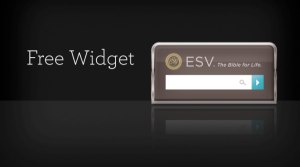
esv-widget.jpgThe ESV team have recently released an ESV bible widget for the Mac dashboard. The widget allows you to search by verse, keyword or phrase when you pul up the dashboard. The results are then shown on the ESV study bible website. Whilst you do have to pay to use the full ESV study bible, it will still show the bible verses even if you don’t have full access.

CLICK HERE TO READ THE FULL ARTICLE


Mar 08
fCr rating:3.0 out of 5
Your votes(12): 1 Star2 Stars3 Stars4 Stars5 Stars Loading ... Loading ...

free ESV Kindle iPhone application
main website | iTunes store page

`A free ESV bible on your iPhone, if you live in the US…

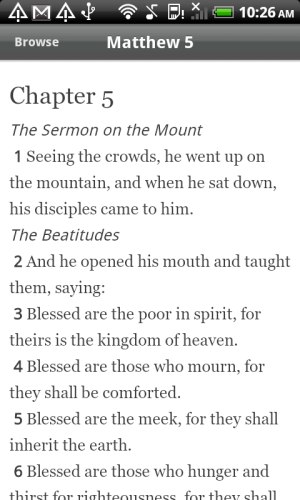
iphone-kindle-esv.jpgYou can now get the full ESV text free to download on your iPhone. The main downside is that it is only currently available in the US so I can’t review it or access it!

CLICK HERE TO READ THE FULL ARTICLE


Mar 03

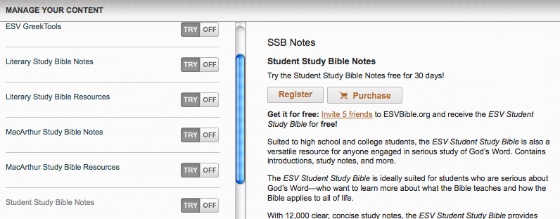
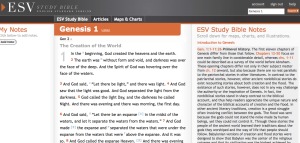
esv-study-bible.jpgIf you are interested in buying the new ESV study bible them you may well be interested to hear that for the rest of March you can access the whole of the study bible free online! Normally you only have access to the website if you own a hard copy of the ESV Study Bible.

It is an impressively presented online study bible and worth checking out even if it is only for one month.

Now… how much of it can I absorb in one month!


Feb 28

kindle esv
If you own a Kindle then ESV have a treat for you! You can now get free access and download the ESV bible by searching for ‘ESV’ in the Kindle Store.

Happy reading!


Feb 22

esv-study-bible.jpgYou can now access the ESV translation of the Bible in audio format free at the ESV website. B.C. McWhite explains how he uses this in memorizing the scriptures at his blog. The download are in mp3 format, and you can download any chapter you like. The main proviso is that you cannot download a whole book, and cannot have more than 250 verses, in line with the ESV copyright.

Here are the steps required, I’ve checked it out and it is pretty easy to do.

  1. Go to the ESV Online site.
  2. In the top right corner of this page, click on the “Options” tab.
  3. Under “Audio Options,” click in one of the buttons for MP3 (I use David Cochran Heath because he has the most “normal” sounding voice).
  4. At the bottom left of the page, click the “Save” button (that should open a page that says, “Your preferences have been saved” at the top).
  5. Type the passage or book you want (e.g. Ephesians 3:1 or Matthew) into the search bar and click “search.”
  6. When the passage comes up, you should see a link that says “Listen” next to the passage reference. Control-click (PC users right-click) on the “Listen” tab. A menu box should come up. Click on “Save Link As…”
  7. When the box pops up, you will have to add an extension name on the end of the title if it doesn’t have one. So, for example, if the title of your selection is “49004029″ then you need to add .mp3 on the end, so that it reads “49004029.mp3″. Save the file to your Desktop.
  8. Find the file on your desktop and open it with iTunes or Windows Media Player, or whatever you use. You can then load it onto your iPod, MP3 player, or burn it onto a CD for your car.

CLICK HERE TO READ THE FULL ARTICLE


Feb 21
fCr rating:3.5 out of 5
Your votes(0): 1 Star2 Stars3 Stars4 Stars5 Stars Loading ... Loading ...

Logos bible widget (Mac)
main website

A simple ESV/KJV bible verse lookup tool for your Mac dashboard

CLICK HERE TO READ THE FULL ARTICLE


Feb 13

flock.jpgThe Between Two Worlds website recently showed a great hint on how to allow you to easily search the ESV bible without having to navigate to another website.

You will need to have Firefox 3, but this is free to install and is

Simply go to the main ESV bible page then click on the down arrow of the search box and choose to add “ESV bible”!

CLICK HERE TO READ THE FULL ARTICLE


Jan 02

The ESV website has a great selection of reading plans to help you read the bible in one year. Firstly all of the plans are available in several formats as follows:

  • Web
  • RSS (full text included)
  • Email
  • iCal (no text included – just the verse references)
  • Mobile
  • Print

CLICK HERE TO READ THE FULL ARTICLE


Page 1 of 3123»
free Christian resources
free Christian apologetics