Add the ESV bible to your iPhone homepage
Free ESV Bible text online and free ESV Bible app for phone/tablet
- Free to use
- verified Sep 2026
- US
- Text
- Software
Go to the resource esv.org
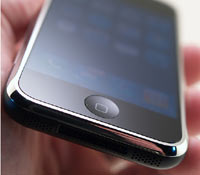 The ESV bible has just published a great technique that will allow you to put a link to the ESV bible onto the homepage of your iPhone. This has been made possible due to a change in the firmware of iPhones.
This will undoubtedly make it very quick and easy to access the ESV bible translation on your iPhone. It will also work with their devotions, which will really be useful as you are likely to be looking up that section daily on your iPhone if you read them.
Here are the steps that give to let you achieve this.
- Make sure you’re running the latest version of the iPhone firmware. (On your iPhone, go to Settings > General > About. The “Version” should be 1.1.3.) If you’re not running the latest version, sync your iPhone with iTunes (which may also require updating—use Help > Check for Updates) and install the latest version.
- Visit www.esv.org/mobile using Safari on your iPhone.
- Press the + sign at the bottom of the iPhone screen.
- Press the “Add to Home Screen” button.
- (Optional.) Change the name from “ESV Bible” if you want.
- Press the “Add” button at the top of the screen.
More in Bibles & Study Tools
The whole hub Bibles & Study
Free bible study with logos bible software
Free account
Bibles & Study
Strong’s Search Concordance Goes Mobile
Free to use
Bibles & Study
Lent reading plans and devotions from Bible Gateway
Free account
Bibles & Study
Read through the gospel of John for lent with 24-7 Prayer
Free to use