 User rating:

 (43 votes)
 Loading...
 eSword is probably the best free bible study software that you can pick up. eSword is easy to use and has a fair amount of features. However it is only for PCs, so if you own a mac you will have to use the alternative MacSword.
Translations
The main translation that is missing in eSword is the NIV, due to copyright issues. It has the English Standard Version, which is a very good translation, as well as many more (including ASV, ISV, MKJV, KJV). Also, if you want the Message, NASB or NLT you will have to pay between $10 and $20 – you cannot buy the NIV yet. It also has various other languages, and has Greek & Hebrew versions should you wish to delve deeper.
Compared to online options, it is therefore lacking in bible translations.
Commentaries and Dictionaries
As with the bibles, there are some you can purchase and some you can get free with eSword. The best free commentaries are John Gill’s exposition, Mathew Henry’s commentary, John Wesley’s notes and The Treasures of David (on the psalms by Charles Spurgeon). There are a fair few dictionaries too, with Easton’s Strong’s and Smith’s bible dictionaries providing good resources.
You can also download various other stuff such as daily devotionals, maps, books and STEP “Standard Template for Electronic Publishing”.
It is worth looking at all of the free downloads, to see which you prefer and feel add value to your studies. Most of these are quite old (i.e. 100 years!), as the copyrights have expired. However don’t let that put you off, they are really valuable and rich resources and have helped me immensely with my studies.
Ease of use etc.
eSword is very easy to use, and this is a huge selling point. It easy to install the software and the various module. The whole menu system is also easy to understand and use too.
Searching
You can search either by using the drop down list on the side of the program, or by typing in a reference. Both work well. You can also search for keywords.
… all of the commentaries will automatically be synchronised …
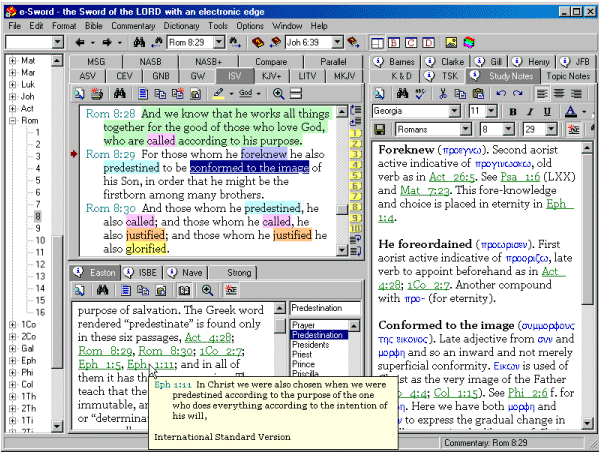
If you are reading a verse then all of the commentaries will automatically be synchronised to show the relevant section. The same also happens when you click on any word. This means that you do not have to spend that long searching for things. You can also click on any cross references and it will take you to that verse. One really nice touch is that if there is a verse being cross referenced then you can hover your mouse over it, and the verse will show without you having to leave the selection you are currently on.
Navigation
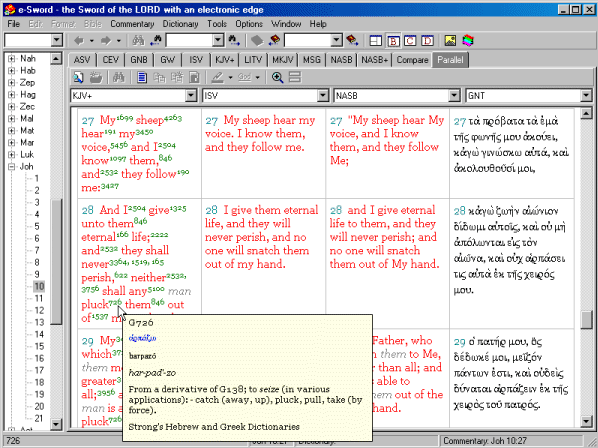
It is very simple to navigate around eSword, due to the clear and logical layout. It is quick to switch between bible translations or parallel lists, commentaries and dictionaries and the like. I also find it easy just to move around the bible – due to the slidebar on the left. You can see a screenshot later in the review.
Copying to your notes
It is very quick to copy any verses or commentary bits into your own study notes, with buttons provided to do so. There is the option of including your own personal bible commentary as well, though I have never used this myself.
Help
There is plenty of help available including some tutorials that can be viewed on line, and also a manual that you can download. These are all held on the website, as detailed below. There are also a few forums on the internet, one of which is listed in the links section at the bottom of the review.
Presentation
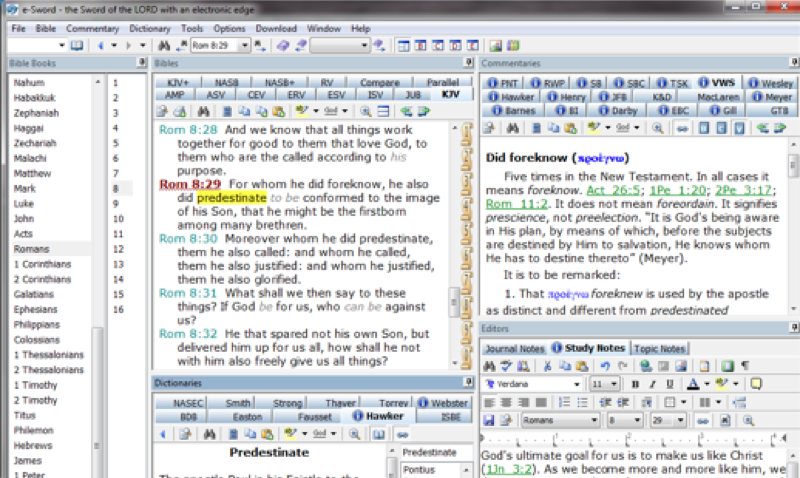
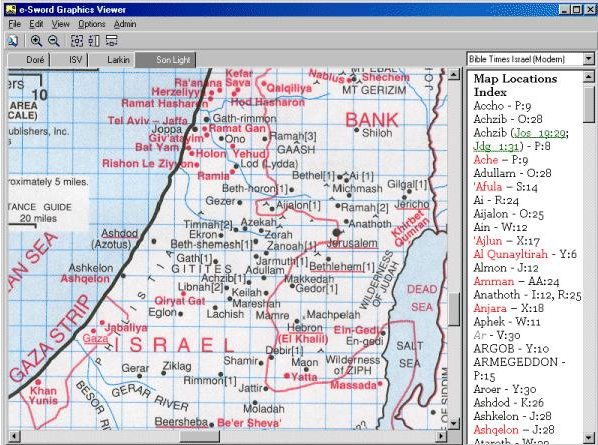
The presentation is not flash, and very much in the mold of PC software from a few years ago. However, this really is not an issue as the navigation (mentioned early) is just so easy. I think am just used to better looking things now I tend to use a Mac more! There are some screenshots below:
The future outlook
eSword is a popular application, with five million downloads of the software having been made by January 2007. The last release of an updated version was in December 2006 (and before then July 2005) so the application is likely to improve over time, just like a fine wine!
Summary
Overall, this is a great free piece of software. If you can’t afford to buy a fully fledged package then this is well worth getting your hands on. I personally have found it very beneficial when studying them bible, so if you aren’t one of the millions of people that have downloaded it then get in now!
Strengths
- Very easy to use
- Good commentaries and dictionaries
- Simple to copy into your own notes
Weaknesses
- PC only
- Lack of some of the big bible translations, the NIV can’t even be purchased
Links
Main website:
http://www.e-sword.net/
User Modules (additional unofficial legal free resources):
http://www.e-sword.net/usermods/
Modules available for purchase:
http://estudysource.com/platform/site/homepage/index.aspx
eSword forums:
http://groups.yahoo.com/group/eSword/
Alternative reviews:
http://www.bsreview.org/index.php?modulo=Reviews&id=19
Please let E-Sword update its software compatability. Christians here in the Gulf are desperate to have E-Sword on our Nokia N-Sereies Mobile phones.
Thank you,
Henock
Correction: The NIV Bible translation IS available for e-sword. Go to the Bible section of the E-sword website at the Bible section. You pay about $12 for three versions of the NIV. Well worth it.
Hi Jim,
I’m pleased eSword is now able to provide the NIV translation. As you say, it is well worth the $12. Thanks for letting me know – I’m going to be updating the review soon.
Hello Hencock,
I’m not sure exactly what type of phone the Nokia N-Series is but they do have an eSword available that can be used on smartphones and the like:
http://www.e-sword.net/pocketpc/index.html
I have been an Pocket e-Sword user for a few years. Unfortunately, Pocket e-Sword is NOT compatible with all smartphones. Especially those that are NON-touch screen or run Windows Mobile 6 Standard.
It would be an INCREDIBLE day if/when this FANTASTIC Bible study app would be usable for WM6 Standard. No other Bible study app has the INTEGRATION
I will be posting a review soon for Pocket e-sword. However I don’t have a smartphone so it won’t be a thorough review. I’m not sure if any updates are plannned, but there has just been the release of the online eSword (which is great) and a newer version of the PC software so eSword is being continually developed.
Bless you and may the Grace and favor of God encompass you complete
Peter Walker
Hello Peter,
Thank you very much for you kind words
can i use e sword on iphone?
Hi Pavel,
Unfortunately you cannot currently use e-sword on your iPhone. The best bible applications for iPhones and iPod Touches can be found at the following page:
https://www.freechristianresources.org/iphone/bible-applications
how do i download this helpfull and fantastic bible study tool on to my computer.
Pastor Bwalya Chanda,
Ndola, Zambia.
Hello Pastor Bwalya Chanda
Go to the download page on eSword and choose the version you want – it should then download automatically.
Here is the link: http://www.e-sword.net/downloads.html
i wnat application bible in my phone
great site… tks for your insight..
you are a blessing to me, thank you for your love
There is a site that is dedicated to e-Sword users and the modules that are available. http://www.e-sword-users.org please stop by and check it out.
MacSword is a Bible Study program created by _The Sword Project_. It has nothing to do with, and is incompatible with e-Sword.
For those who want to run e-Sword on the Mac OS X platform, it can be done using CrossOver. It isn’t much more difficult than running e-Sword on Linux, using WINE.
jonathon
NIV translation is now available as I have purchased it and download it to my E-Sword.
NIV translation is now available as I have purchased it and downloaded it to my E-Sword.
I would like to have a bible (not dramatized) and devotionals for MP3 since I have a Creative Zen V plus, MP3 player and it is the greatest ever for listening to books while doing anything! What do you recommend? Thank you.
I also made a review similar to this but I just did not focused too much on e-sword alone, but i guess I also gave some very important insights about the other FREE softwares. Please refer to this post:
http://thedisciplers.com/paid-and-free-bible-softwares-for-everybody/
May this also help everybody. Blessings!!!
By the way before I forget, e-Sword can also be installed in Ubuntu Linux using WINE and Virtual Box.
But HOW???
Here’s the link:
http://wsmuniversity.blogspot.com/2009/08/how-to-install-e-sword-in-ubuntu-better.html
Have you considered the free Bible software The Word (http://www.theword.gr) ?
Everyone i know of and tries it says it’s much better than eSword. Can you review it also?
what is the importance of miracles in the ministry
A Catholic Lay Evangelist working with tribals in the villages – giving them faith formation.
Dear Friends,
Re: the NIV on E-Sword. I apologize but earlier I quoted a wrong price. The NIV _package_ contains three versions of it for $29.99. (I guess I was thinking…”about $10 a book.”) I have been using it for several years and recommend it to everyone. Still well worth the price. – Jim.
Esword is very good,very usefull toall and also myself .We are praying for esword ministry.we can see in our computers.Many people were no computers so they have interested to read bibles.
I have need nearly 10 Bibles (English& Telugu language) to free distribute to friends.
yours in HIM
Mercy.
NIV can be purchased. I have it on my esword
I like this concept. I visited your blog for the first time and simply been your fan. Continue to keep posting as I am planning to come to read it every day!!
You should check into the free Bible program theword, found at http://www.theword.net. It is much better than e-Sword, more powerful, easier to use, more features and more advanced features (graphics in modules, search across all non-Bible modules, search all or subset of all Bible versions installed, hyper jumps within a module and between modules, and the list goes on). It is a much better program.
I personally made a large number of the non-Bible e-Sword modules out there and I am transfering all of them to theWord format, and making and posting on http://www.twmodules.com around 250 modules on my site each month, the majority of them new modules.
Please specify the correct site for NIV Bible reading daily . There are so many site in the net so kindly specify the accurate site.
thanking you sir
Beautiful!
Actually e-Sword is very clunky and outdated. It has gone probably 10 years without any user interface updates or new features to speak of. The Free Bible program TheWord at http://www.theword.net is a much better program, allows you to convert unlocked e-Sword resources, and has dozens and dozens of better features and more modules than e-Sword. My site http://www.twmodules.com has my TheWord modules, and I have another site, http://www.myswordmodules.com which has these same modules for the Android operating system (Phone or Tablet). I also have a site for e-Sword modules that I am slowly building up, http://www.eswordlibrary.com/
Pastor David Cox
Terrific work! This is the kind of information that are supposed to be shared across the net. Shame on Google for now not positioning this put up upper! Come on over and seek advice from my web site . Thanks =)
I just like the valuable info you provide to your articles. I’ll bookmark your blog and check again right here frequently. I’m moderately certain I’ll be informed plenty of new stuff right here! Good luck for the next!
Nice blog here! Additionally your web site loads up fast! What web host are you using? Can I get your associate link in your host? I desire my website loaded up as fast as yours lol
Hola
I do agree with all the ideas you have presented on your post. They are really convincing and will definitely work. Still, the posts are very quick for beginners. May you please lengthen them a bit from next time? Thanks for the post.
Hi there, I found your site by the use of Google at the same time as searching for a comparable topic, your site came up, it looks great. I have bookmarked to favourites|added to my bookmarks.
Somebody essentially lend a hand to make critically articles I’d state. This is the first time I frequented your web page and thus far? I surprised with the analysis you made to make this particular post amazing. Fantastic job!
I personally blog too and I am crafting a thing very close to this post, “eSword
– bible study software review | free Christian resources”.
Do you really mind if I reallyapply a lot of of your personal tips?
Many thanks -Leora